Logic Editor
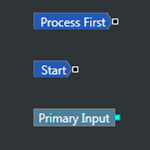
The Logic Editor in Sentinel Studio provides an easy way for you to build logical constructs to create a user process. This article describes the main screen you will use to configure the user process.
The Logic Editor in Sentinel Studio provides an easy way for you to build logical constructs to create a user process. This article describes the main screen you will use to configure the user process.

Sentinel Studio runs in the web browser as part of IFS OI Sentinel. Sentinel Studio allows you to create and save a user process, which you can subsequently use in a Sentinel monitor. This article describes the main user interface of Sentinel Studio.

Sentinel Studio offers keyboard shortcuts in both the UI Editor and the Logic Editor.
Sentinel Studio is only available to those users with appropriate licensing and access privileges.
There are separate licences for accessing Sentinel Studio and for accessing the user processes in the monitor test screens.
Sentinel Studio allows you to create user processes that define the conditions that trigger an event. This article describes how to launch Sentinel Studio, from the IFS OI Sentinel main screen.

The R Language calculations allow you to access R, as a way of analysing data within your calculations. The RTimeSeries() calculation function allows users to pass an R script into the calculation, and return values as time series data.

In this article we will look at how to ask a source system for its list of time series tags, and import those into IFS OI Server.

This article shows the technologies currently supported in IFS OI Explorer. We recommend that all customers keep their databases and operating systems current with patches and security fixes for the supported versions.

The following characters and words have been reserved in IFS OI Server and should not be used in any names.

The PHD Adaptor provides standardised access to Honeywell's Uniformance PHD Desktop Historian servers, hiding the complexity of obtaining data from PHD. The Adaptor requires the Honeywell PHD API to be installed to access real-time and historical data from Honeywell's PHD historian. This article describes the features of the PHD Adaptor.