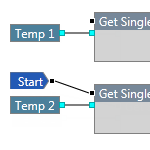
Sentinel Studio is essentially a programming language that provides a visual editing tool for developing logical constructs to create a process for use in Sentinel. Before you start creating your process in Sentinel Studio, you should have a clear understanding of what your goals are and what you want to achieve.
Read more
This article describes where to start a user process. A Sentinel process flows in a forward manner from left to right, following the path of the connected flow pins. When the process encounters a component that does not have the data it requires, the process may temporarily flow backwards in order to obtain that data, and then will resume the forward flow.
Read more
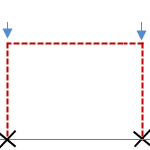
There may sometimes be several ways of achieving the same result when obtaining a data point; however, whenever you retrieve a window of data using Sentinel Studio, you should be aware of potential performance issues. The more data points that you retrieve, the slower your process will run.
Read more
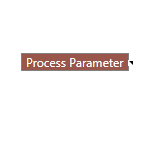
A Process Parameter provides data to a Sentinel Studio process component. It is similar to a constant, except that it is defined by the user in Sentinel as part of the monitor configuration.
Read more
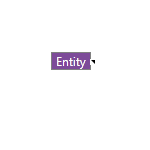
A System Variable provides data to a Sentinel Studio process component. System variables allow access to the system states and other information that is captured during processing.
You can then use these variables as inputs to other components that have a matching data type.
Read more
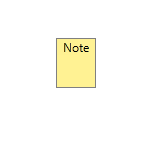
The Note component allows you to annotate the logic of a Sentinel Studio process or part of a process.
Read more
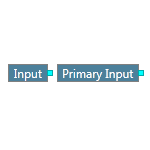
An Input component provides a stream of time-series data to a Sentinel Studio process component. The source of the data is specified by the monitor configured in IFS OI Sentinel.
Read more
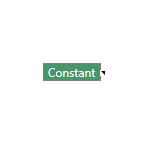
A Constant provides a fixed value to a Sentinel Studio process component. It is often used in conjunction with a Boolean function to perform a calculation, or as an input to a sub-module.
Read more
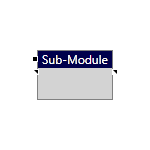
A Sub-Module is a self-contained unit of logic in Sentinel Studio that performs a specific task.
Read more
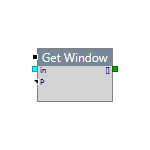
A process component (or simply, component) in Sentinel Studio is the basic building block of a process, and represents a step in a user process. Every component has one or more pins – coloured square boxes. Pins are the mechanism by which you can connect components to create a user process.
Read more